In the Quotation, click on File, select Reports, then Customer Invoice
On the Run Customer Invoice screen, you have the following options:


Click View or OK to run the Report
Once you have run the Customer Invoice Report, you are able to export it to:
- RTF (Word) and Excel for editing purposes, or
- PDF for forwarding purposes
Click on the Export To button at the top left corner of the screen:
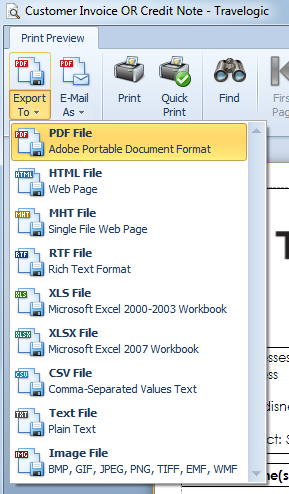
Note that you are also able to E-Mail As in any of these formats - this action generates an Outlook Email with the report attached in your chosen format.