The Quotation Report gives you a detailed daily cost breakdown of each service in the quotation, that can be used for internal purposes or sent to clients.
Click on the orange File menu, select Reports then Quotation
In the Run Quotation Report screen, you have the following options:
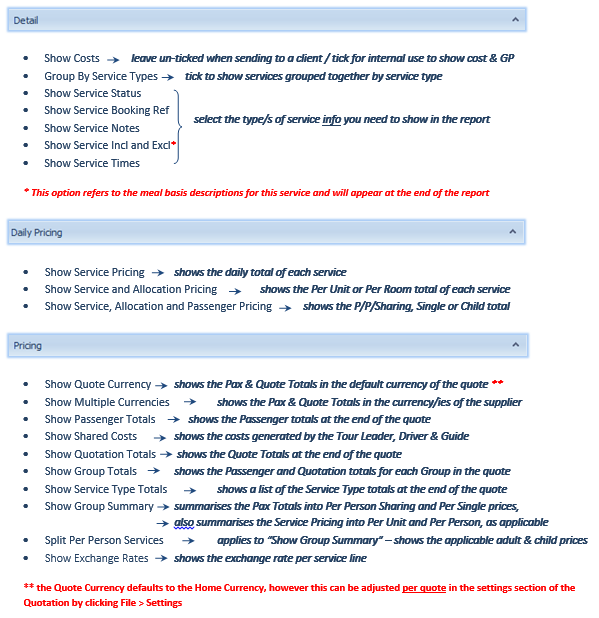

Now click View (runs the report but leaves the Run report screen open in case you need to make adjustments) or OK (runs the report but closes the Run Report screen)
Once you have run the Quotation Report, you are able to export it to:
- RTF (Word) or Excel for editing purposes, or
- PDF for forwarding purposes
Click on the Export To button at the top of screen:

Note that you are also able to E-Mail As in any of these formats - this action generates an Outlook Email with the report attached in your chosen format.